
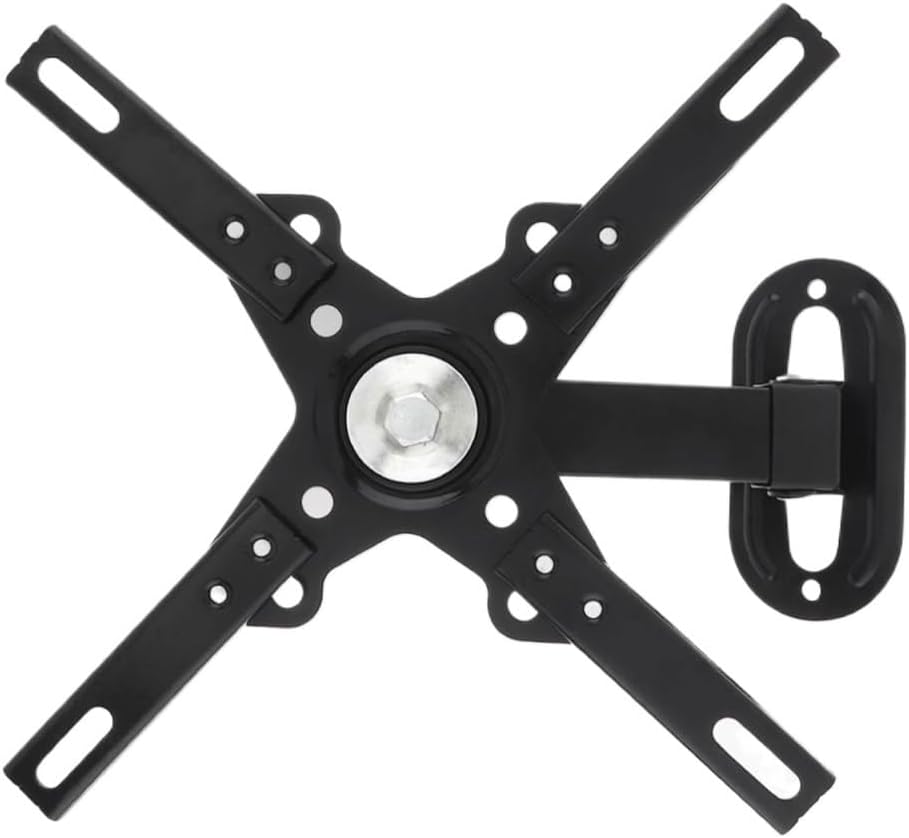
Universal Adjustable TV Wall Mount Bracket Flat Panel Support 30 Degrees with Small Wrench for 14-32 Inch
Product details
| Management number | 212179554 | Release Date | 2026/04/06 | List Price | $36.00 | Model Number | 212179554 | ||
|---|---|---|---|---|---|---|---|---|---|
| Category | |||||||||
The movable joints are reinforced with plastic sleeves, which is more .Automatic telescopic adjustment design, stretchable and rotatable.The key parts are thickened, the structure is stable, and the ability to withstand weight is strong.High-intensity rotating shaft that can withstand multiple rotations without deformation.Safety screw design ensures no offset under load.Type:Adjustable TypeApplicable Size:14 - 32 Material:Cold Ligation BoardDistance From the Wall:60-170MM / 2.3622InchesMax Capacity:12KG / 26.46LBUp and Down Tiltable Angle:30 degreesVESA Standard Pitch:50mm x 50mm, 75mm x 75mm, 100mm x 100mm, 200mm x 200mmLeft and Right Tiltable Angle:180 degreesColor: BlackPackage include1 x TV Wall Bracket1 x Set Mounting AccessoriesApplicable scope: Suitable for most HDTV flat screen TVs, LCD TVs, LED TVs, plasma TVs. For example, fit for TCL, Sanyo, Plasma TV. Suitable for home, entertainment, public places and commercial establishments such as living room, KTV, bar, airport, train station, bus station, shopping mall, store waiting hall, lounge, large conference room, classroom, lobby and restaurant.Installation and instructions:Use the wall plate as a templet to drill four holes of 10mm diameter and 50mm depth in the concrete wall. Then wedge four plastic concrete anchors into the holes.Install the wall plate, Putthe wall plate the wall,and then screw four lag bolts into each plastic concrete anchor through metal washer to four the lag bolt,the plastic concrete anchor and the wall.Install the monitor brackets onto the back of the panel TV: screw four bolts into the holes in the back of the panel TV Make sure the distance from each bracket to the top of the panel TV is equal,and also as center as possible.The parts shall be selected according to the dimensions of the holes in the back of the panel TV.Adjust the ofthe LCD between -5°~+15° to a suitable position by hands.Note:When purchasing, check that the hole spacing of the TV is the same as the product and that the weight is within the tolerance of the product.The quantity of product accessories will be somewhat deviant, but it will not affect installation and usage.
- The movable joints are reinforced with plastic sleeves, which is more .
- Automatic telescopic adjustment design, stretchable and rotatable.
- The key parts are thickened, the structure is stable, and the ability to withstand weight is strong.
- High-intensity rotating shaft that can withstand multiple rotations without deformation.
- Safety screw design ensures no offset under load.
| Brand | CGTENBS |
|---|---|
| Color | D |
| Manufacturer | CGTENBS |
| Mounting Type | Ceiling Mount |
| Movement Type | Articulating |
| Compatible Devices | Camera |
| Enclosure Material | Metal |
| Maximum Tilt Angle | 1 arcmin |


Bestseller ranking
Cookies





Customers who viewed this product also viewed
LED Strip Lights


Correction of product information
If you notice any omissions or errors in the product information on this page, please use the correction request form below.
Correction Request Form